Check Etsy Thumbnail Crops
Use downloadable square, landscape and portrait crop examples to find edge risks, then verify the actual Etsy listing preview.
Identify meaningful edges
Before testing a crop, identify what tells a shopper what is included: the whole silhouette, a handle, a cable, a matching piece or packaging. A crop that removes that context can change the meaning of a listing even when the main object remains visible.
The examples below start from one square export. A centered landscape frame removes image content vertically; a portrait frame removes it horizontally. This is a reproducible geometry example. Etsy's actual placement, focal position and current listing controls remain the final presentation check.
What a center crop removes
These are actual cropped files from the same 800 × 800 reference export. They illustrate geometry and do not reproduce Etsy's interface.
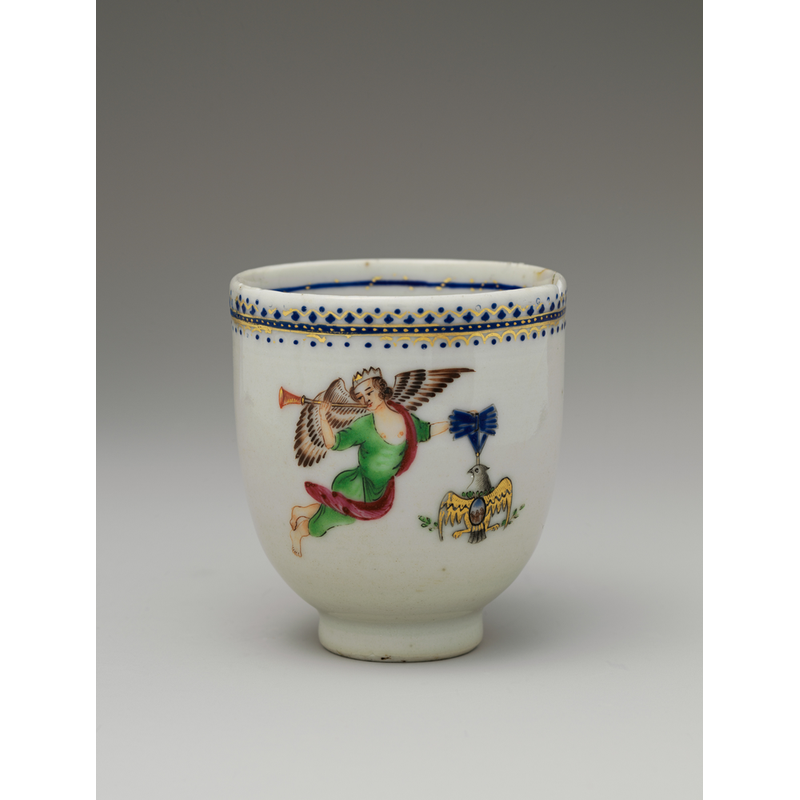
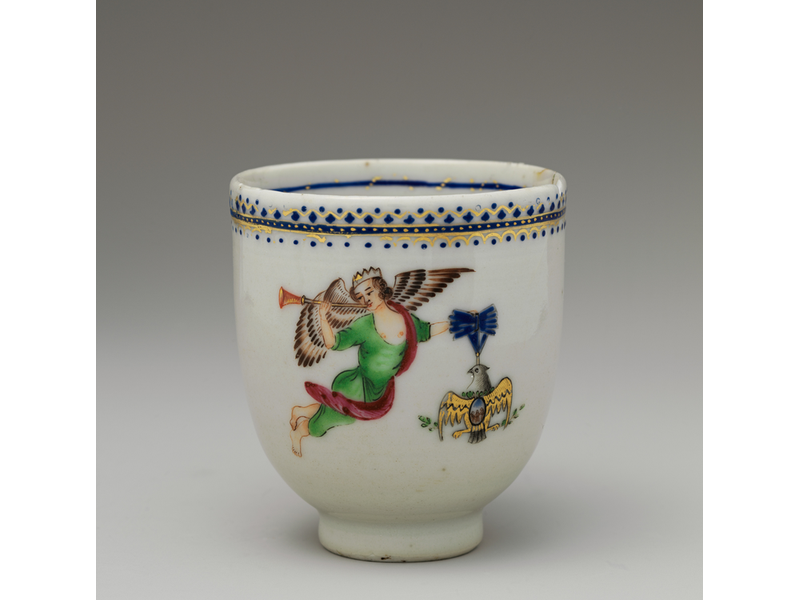
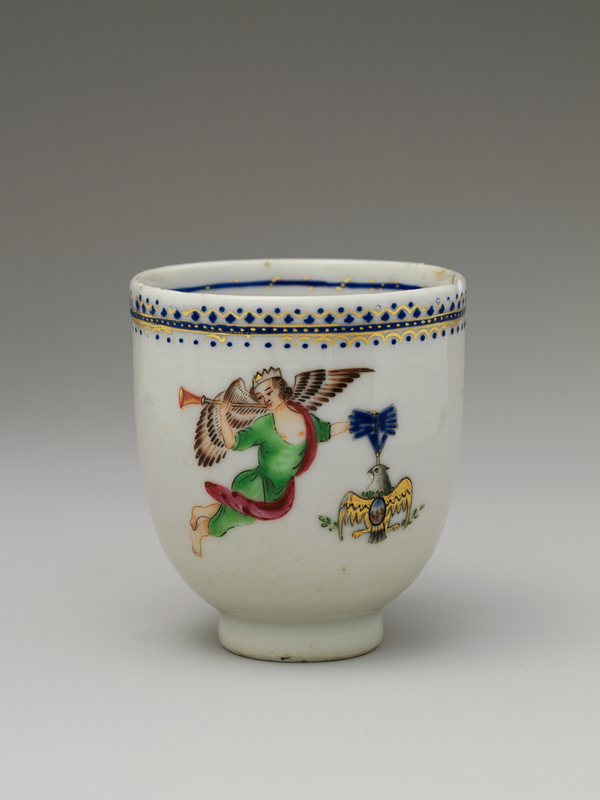
The square already has side padding. A portrait crop can remove padding while a landscape crop removes source content vertically. This is why you must inspect the subject instead of treating every removed pixel as damage.
Image sources and reproduction
Photographs: Coffee Cup, The Metropolitan Museum of Art; Coffee cup and coffee bean, mcfoodie. Both are CC0. They are third-party test material, not photographs taken by this project. Pattern, text, transparency and noise fixtures are generated tests.


Measured 2026-10-20 with sharp 0.35.4, libvips 8.18.6, Node 24.13.1. Download all dimensions, byte counts and SHA-256 hashes. Reproduction script.
Test three viewing sizes
Check the full source, the crop and a small thumbnail. A label can survive the crop but become unreadable when the image is reduced. A narrow object can remain complete yet become difficult to recognize. The output needs to communicate clearly at the size at which it will be seen.
Use the three downloadable examples to separate clipping from scale. The portrait crop of a padded square can remove empty side margins rather than the product. Conversely, a landscape crop may remove source content above and below the subject. A removed pixel count alone does not judge whether the crop is useful.
- Write down the outermost meaningful detail before changing the frame.
- View each crop at approximately its eventual thumbnail size.
- Inspect whether the item, included quantity and key distinguishing detail are still clear.
- Use a separate detail image when small lettering cannot be read in the main thumbnail.
Verify inside Etsy
Etsy's image guidance recommends leaving enough border for square, portrait and landscape thumbnail views. It also provides a thumbnail adjustment tool when creating or editing a listing. Use that tool instead of assuming a locally prepared square dictates every placement. The platform reference on this site keeps the current pixel and file-type guidance in one place.
- Upload one representative image to a draft rather than replacing a whole image set immediately.
- Open the thumbnail adjustment and inspect the views Etsy currently offers.
- Check that repositioning one view has not hidden an important edge in another.
- Reopen the saved draft at phone and desktop sizes before publishing.
Repair the source composition
When a crop clips the product, add space around the source or move the crop to protect it. When all views look too distant, use a tighter source image with sufficient breathing room. Repeatedly increasing pixel dimensions does not repair the relationship between the product and its background.
Do not crop away pieces merely to make the main image more dramatic. A main image that stays truthful and readable is preferable to a tighter crop that suggests a different quantity or hides a distinguishing feature.
How this guide was made
Written from the documented sources and downloadable examples on this page. Reference-encoder results explain the file decisions; the final browser output and destination preview still need checking.
Reference: Etsy: image requirements and thumbnail best practices